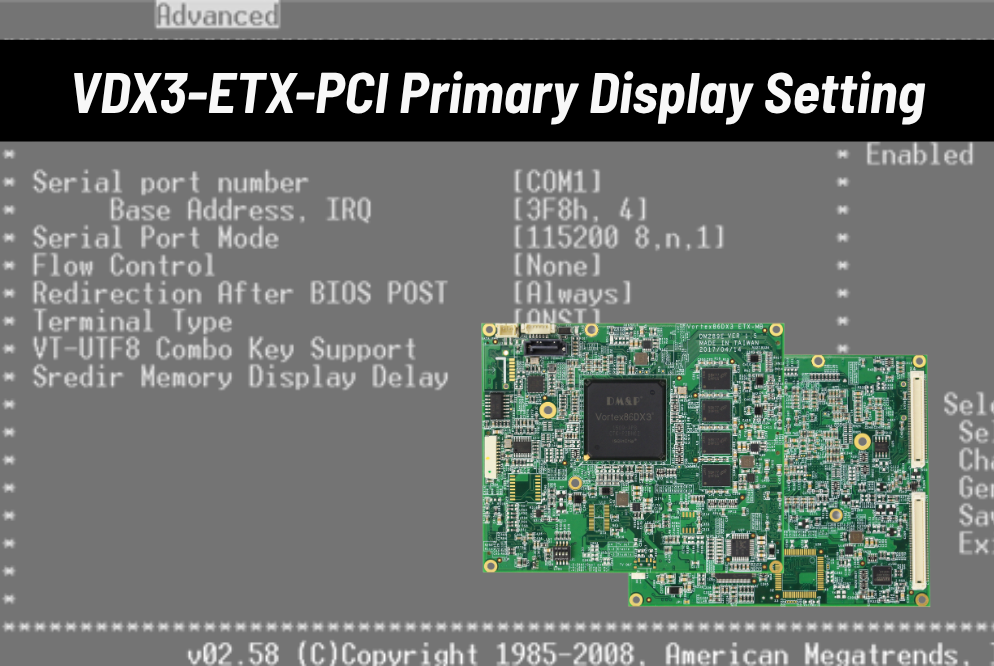
Using VDX3-ETX module as daughter board could easily run the PCI graphic card for primary display if the demand is required.
Preparation:
- ICOP products with Vortex86DX3 processsor x1
- PS2/USB Keyboard and Mouse x1
- PCI-VGA-Z9S x1
How to run VDX3-ETX module with PCI as primary display
Using PCI graphic card as display
Steps of operation
1. Power up the VDX3-ETX computer board![[Technical tips] VDX3-ETX module-PCI Graphic Card Configuration for Primary DisplayAuto Draft DX3-ETX-module_backup-01](https://www.icop.com.tw/datas/upload/files/NEWS/Resources/VDX3-ETX%20module-MINIPCI/IMG_1847.png)
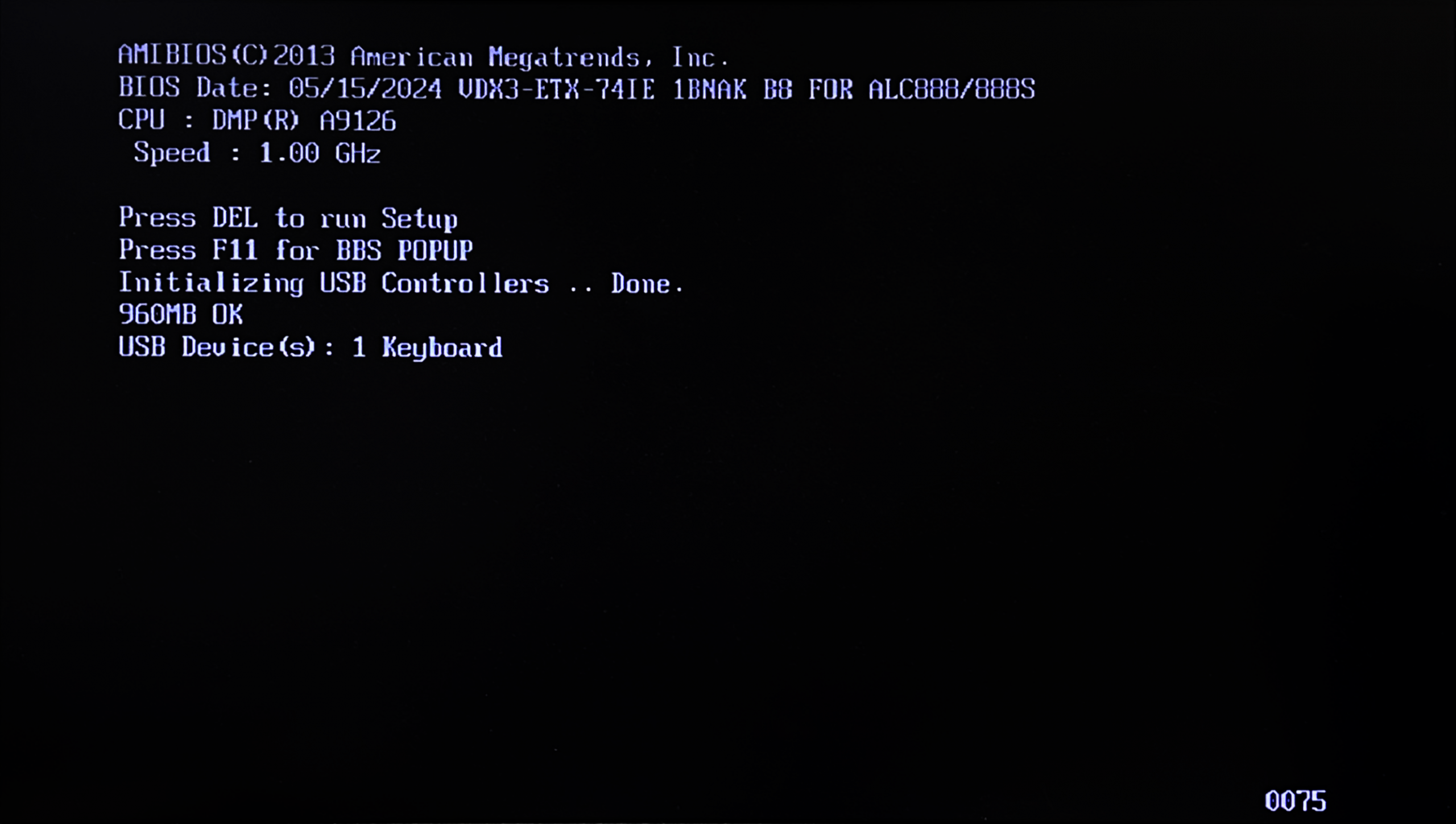
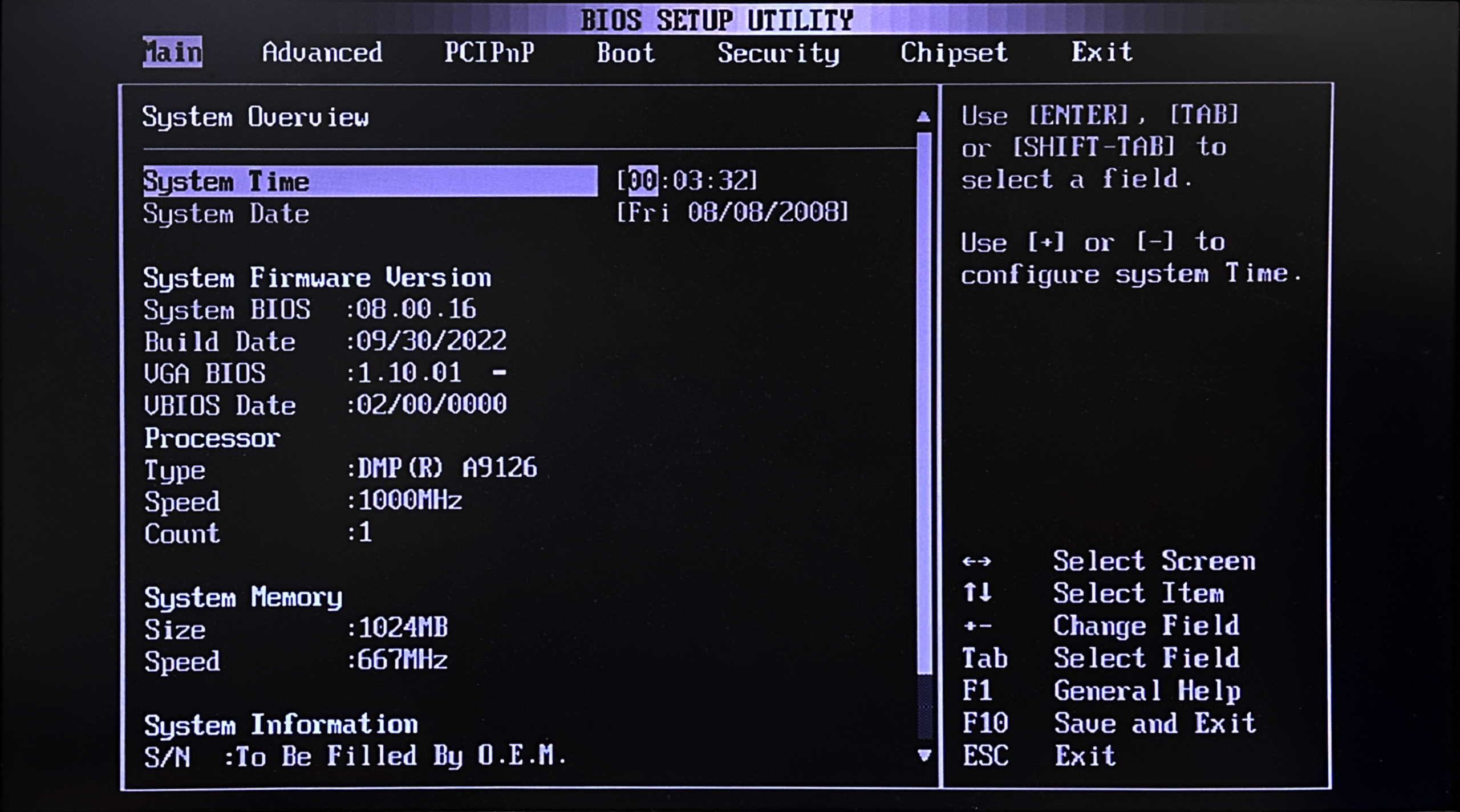
2. Continually press the delete bottom to enter the BIOS set up utility page![[Technical tips] VDX3-ETX module-PCI Graphic Card Configuration for Primary DisplayAuto Draft DX3-ETX-module_backup-02](https://www.icop.com.tw/datas/upload/files/NEWS/Resources/VDX3-ETX%20module-MINIPCI/IMG_1844.png)
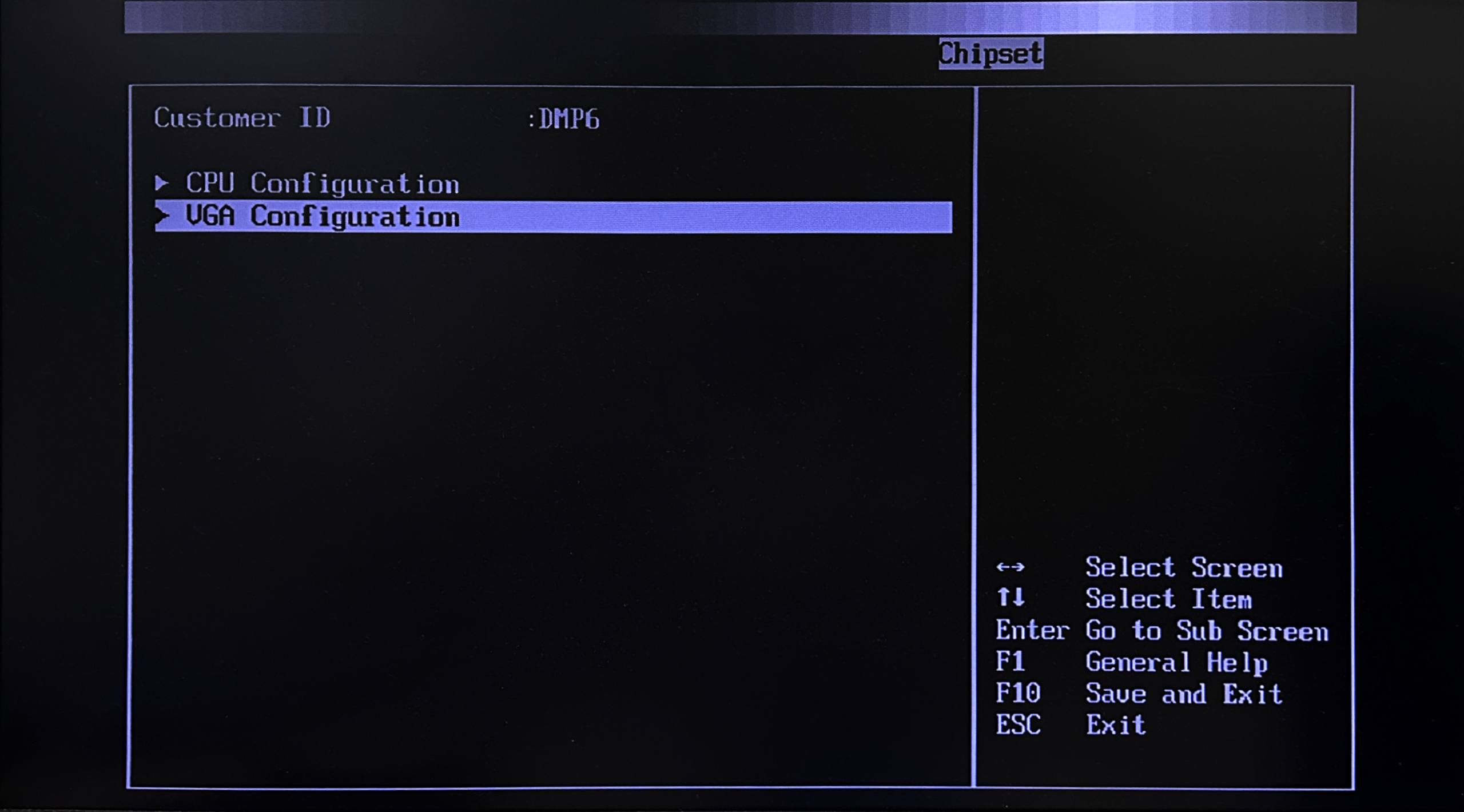
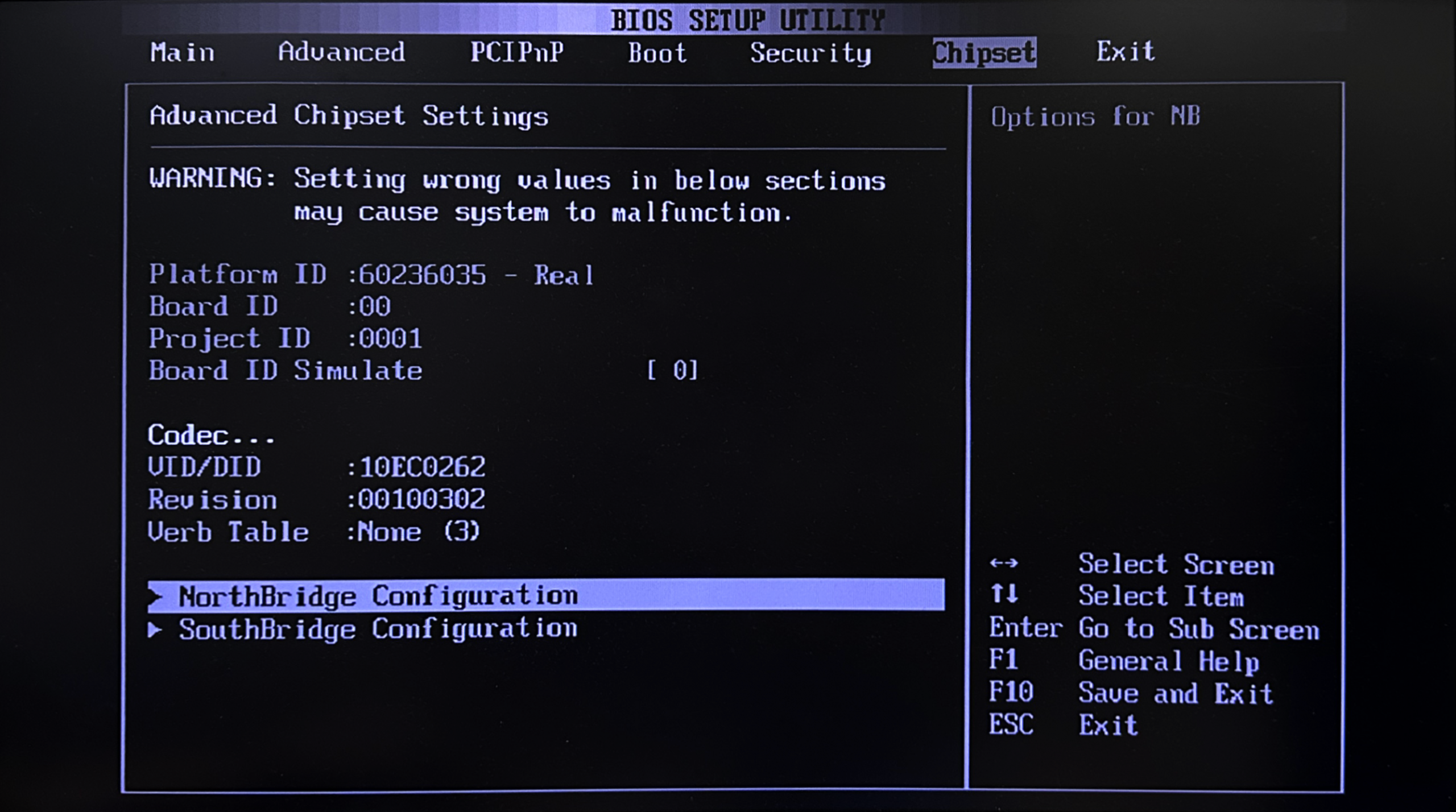
3. Enter Chipset page and access NorthBridge Configuration![[Technical tips] VDX3-ETX module-PCI Graphic Card Configuration for Primary DisplayAuto Draft DX3-ETX-module_backup-03](https://www.icop.com.tw/datas/upload/files/NEWS/Resources/VDX3-ETX%20module-MINIPCI/IMG_1849.png)
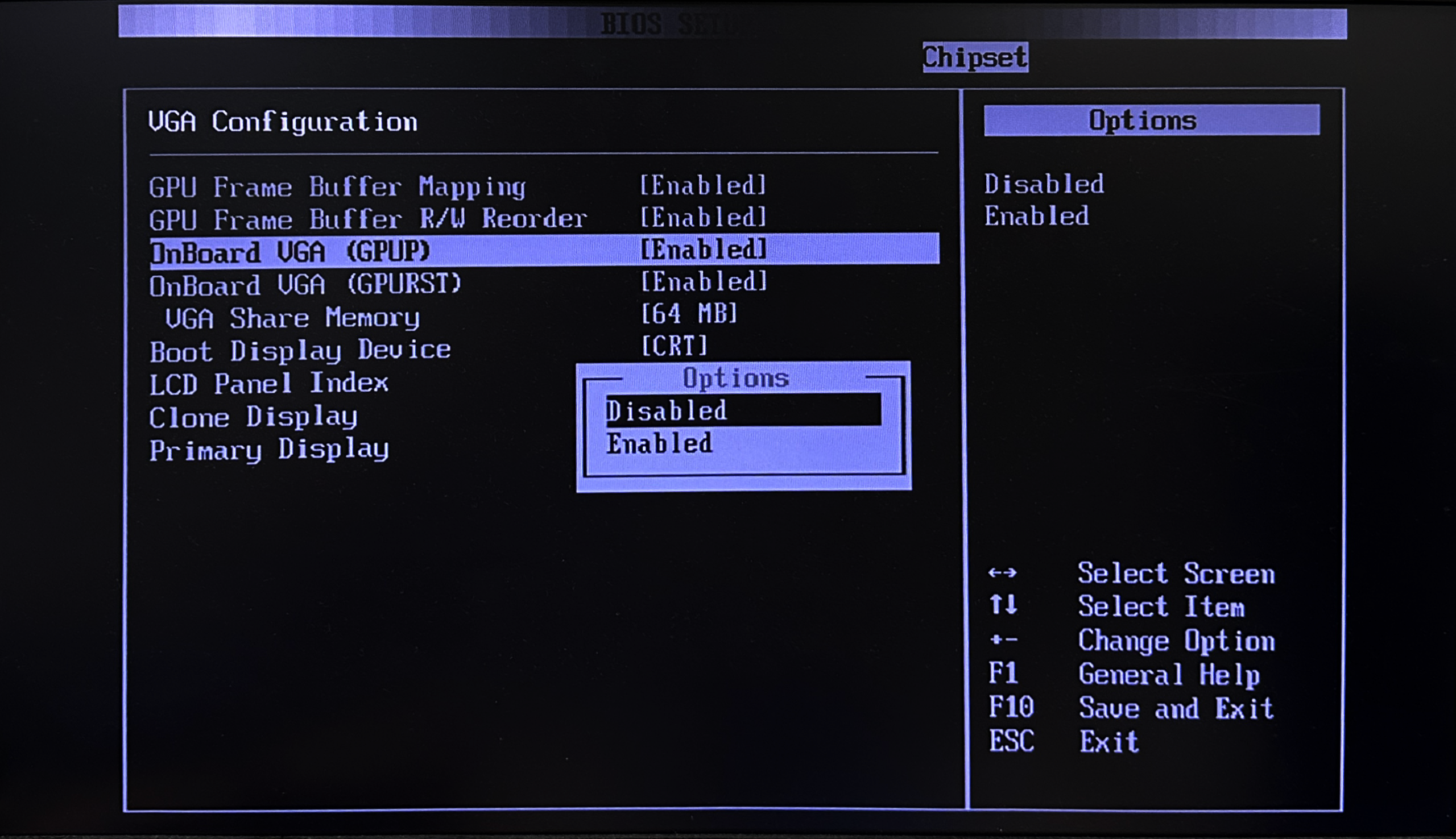
4. Enter VGA Configuration![[Technical tips] VDX3-ETX module-PCI Graphic Card Configuration for Primary DisplayAuto Draft DX3-ETX-module_backup-04](https://www.icop.com.tw/datas/upload/files/NEWS/Resources/VDX3-ETX%20module-MINIPCI/IMG_1850.png)
5. As the image below shown, disabled the OnBoard VGA(GPUP)![[Technical tips] VDX3-ETX module-PCI Graphic Card Configuration for Primary DisplayAuto Draft DX3-ETX-module_backup-05](https://www.icop.com.tw/datas/upload/files/NEWS/Resources/VDX3-ETX%20module-MINIPCI/IMG_1852.png)
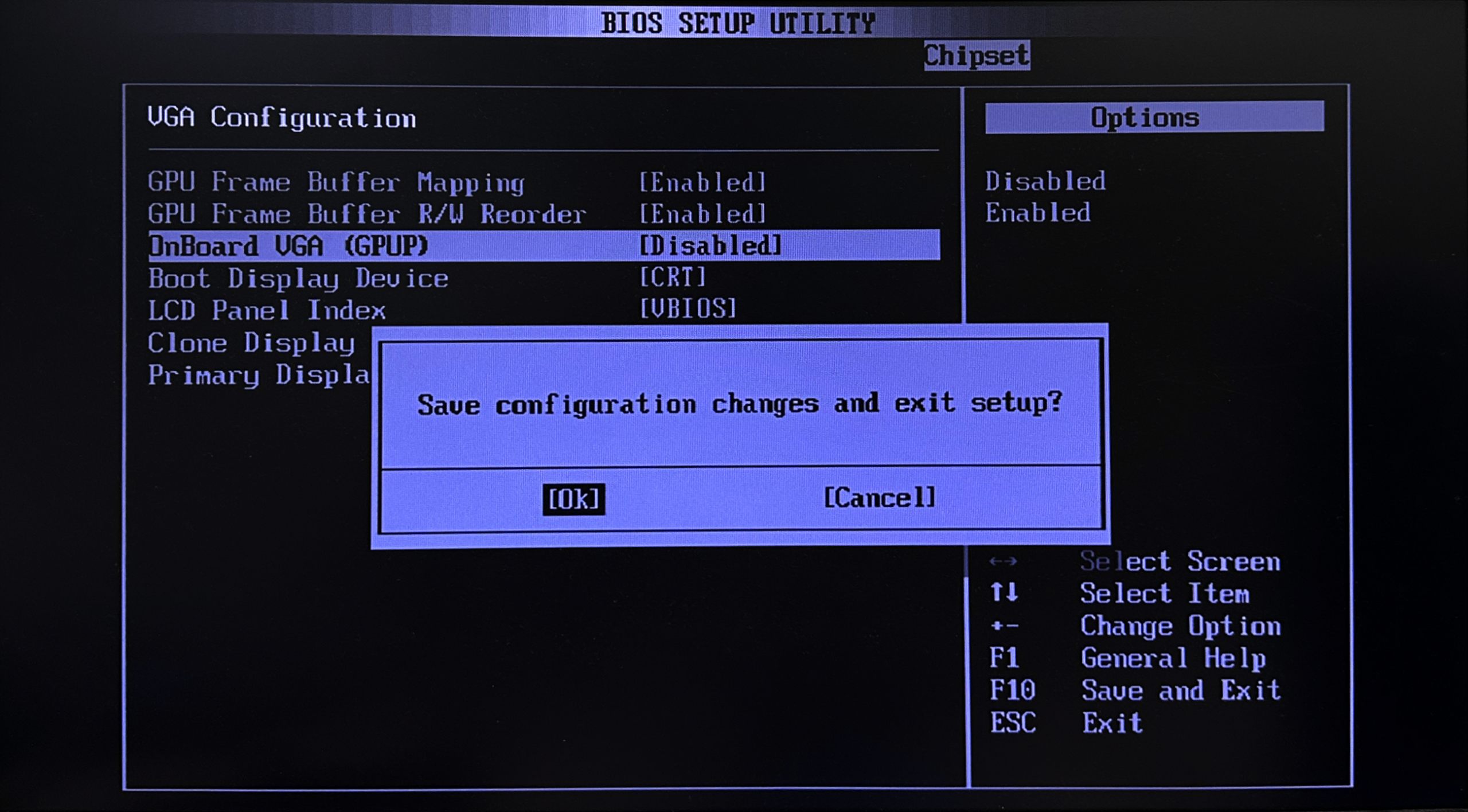
6. Press F10 to save the configuration![[Technical tips] VDX3-ETX module-PCI Graphic Card Configuration for Primary DisplayAuto Draft DX3-ETX-module_backup-06](https://www.icop.com.tw/datas/upload/files/NEWS/Resources/VDX3-ETX%20module-MINIPCI/IMG_1854.png)
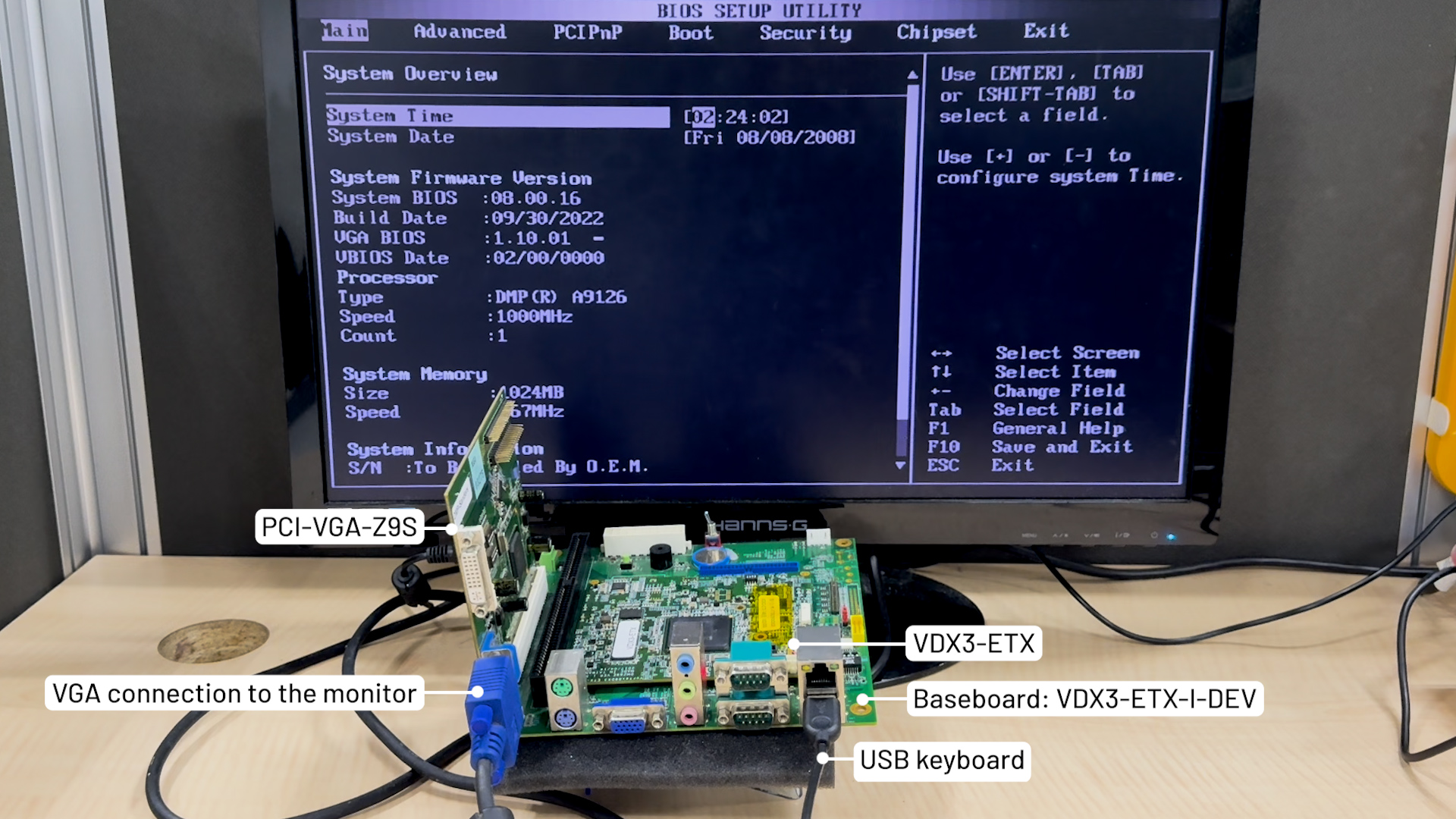
7. After disable the Onboard VGA (GPUP), VDX3-ETX could display from the PCI graghics card as a primary display![[Technical tips] VDX3-ETX module-PCI Graphic Card Configuration for Primary DisplayAuto Draft DX3-ETX-module_backup-07](https://www.icop.com.tw/datas/upload/files/NEWS/Resources/VDX3-ETX%20module-MINIPCI/VDX3-ETX%20module-PCI.jpg)
![[Technical tips] VDX3-ETX module-PCI Graphic Card Configuration for Primary DisplayAuto Draft VDX3-ETX_module](https://www.icop.com.tw/datas/upload/files/NEWS/Resources/VDX3-ETX%20module-MINIPCI/VDX3-ETX-71IE(E)-Front-w.png)
Main features of VDX3-ETX:
- DM&P SoC Vortex86DX3- 1GHz
- 512MB / 1GB / 2GB / DDR3 onboard
- 2S / 4U / VGA / LVDS / LAN / LPT / / I2C / Audio / PCI / ISA / 16GPIO / SATA
- Operation Temperature: -20 ~ +70°C / -40 ~ +85°C (Optional)



![[Technical Tips] Upload the LCD BIOS by using the batch file to the VDX boards](https://icop-shop.com/wp-content/uploads/2026/02/Technical-Tips-Upload-the-LCD-BIOS-by-using-the-batch-file-to-the-VDX-boards-300x201.png)
![[Technical tips] Start Guides for QEC-M-01 and SANYO DENKI SANMOTION G Series (CSP PP)](https://icop-shop.com/wp-content/uploads/2026/02/Technical-tips-Start-Guides-for-QEC-M-01-and-SANYO-DENKI-SANMOTION-G-Series-CSP-PP-300x201.png)